Showing posts with label Whatsapp hacking Tricks. Show all posts

How To Get 10 years Subscription of WHATSAPP

GET WHATS APP SUBSCRIPTION FOR 10 YEAR

All of u know now whatsapp is developed one most part of our life. It is community but when we download it or create account it free for 1 years. After this we should pay it some money.
But from that trick u will get it for 10 with no extra charge that means free. For that carefully follow below steps.

Steps:--

1. First, Delete your WhatsApp Account
from your Phone.

2. Now you will need to look for a Friend or Anyone who has Apple Iphone or Ipad Any Version

3. Then you need to Register WhatsApp with your Number on his Iphone or Ipad.

4. Now After entering you Number on Iphone/Ipad, you will get a Verification code on your Mobile, Just Check your inbox, and Enter the Verification code on Iphone/Ipad

5. After these Steps WhatsApp will load and Start on Iphone, just Check WhatsApp Account and it will have Paid Subscription till 2024.

Now Final step Delete your Account from the Iphone/Ipad. and Simply
download WhatsApp on Any Device
which supports it and Enter your Number then verify It. you will see you have got 10 Years of WhatsApp Free.

How To Hack Your Friend's Whatsapp

You can easily snatch the .crypt files from your friends SD Card and then view them online using the RecoverMessages website.
1. Just try to explore the friends SD Card
and navigate to SD Card > Whatsapp >
Database folder.
2. Here you will two files -msgstore-
yyyy..dd..db.crypt which will exactly
contain date and year when the backup
was created.
3. Simply copy this files to your computer and then upload this file to
“RecoverMesages.com” to view them
online.
That’s it now you have easily hacked your friends Whatsapp Database, now you can view all the conversation and even ask him about his or her crush ;p, so guys this how hacking Whatsapp conversation works, so enjoy.

HOW TO HIDE LAST SEEN FROM WHATSAPP


Hey friends, today I am going to share how to hide last seen from whatsappandroid. As you know last seen is a feature by whatsapp which enable your friends to know that you last online status on whatsapp also this feature of whatsapphelp your friends to know that you have read their sms or not. So if you want tohide last seen of your whatsapp then this post of mine will help to do this. Here are some steps in my post as usual , just read and follow them carefully..


Here are two methods to hide last seen from whatsapp:
  • Manual Method
  • Application Method
Manual Method
To disable this last feature of whatsapp , First of all we have to understand how this feature. Okay Let me tell. Whenever you open whatsapp it updates your last online time to its database using your internet connection. So if you will disable your internet connection before opening whatsapp then it can not update your last seen time to its database. So simple manual solution is that disable your internet connection before opening whatsapp.

Application Method
 There are many application available on Google Play Store to do that which you did manually. But I am going  share one of them because I tested it first and it is working fine. So here are steps , just read and follow them carefully.


STEP 1:
First of all INSTALL WhatsApp No Last Seen from playstore.


Cover art

STEP 2:
Now just configure this app using tutorial given in the app.

STEP 3:
Now you have to do nothing , now its app headache to hide your last seen from your friends. 
WORKING
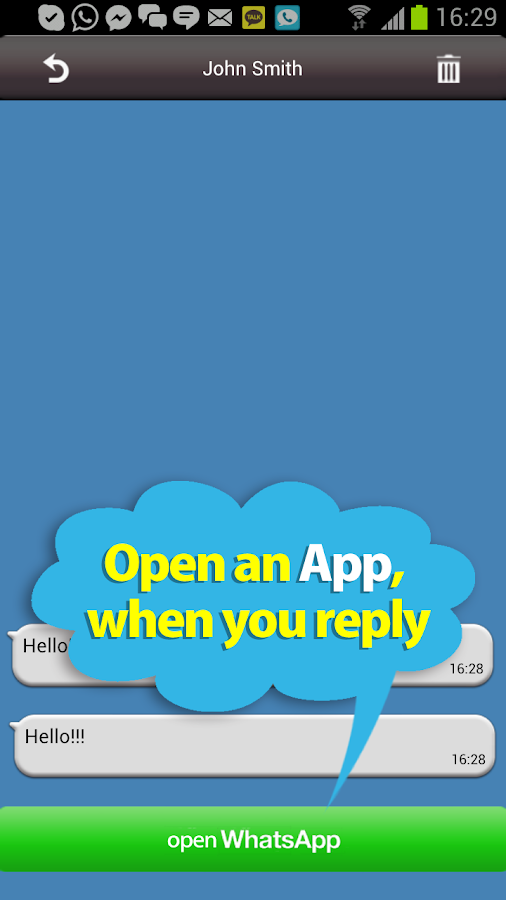
Let me tell you working of this app. This app will recieve your whatsapp and will give you ability to reply the message. When you open whatsapp to reply, it will automatically disconnect from internet  and when you will come back to home screen it will automatically onnect you to the internet.

WhatsApp No Last Seen~shinobi - screenshot
Enjoy

How To MakeWhatsApp FreeFor Lifetime

WhatsApp Messenger is a mobile
messaging app which allows you to send and recieve messages, photos, videos etc, . WhatsApp is amazing and most of us like it. WhatsApp not only provides you instant chat but also sharing of files like images,videos,etc.And due to these features WhatsApp is gaining popularity day by day.As a matter of fact. WhatsApp Holds 200 million + monthly active user,which is quite Bigger than twitter Active users!! As a report , It sends over20 billion messages per day, that is approximately doubles the messages carried by Facebook.But as you may know that it can be used free for only 1 year and after one year you have to pay 0.99$ for each year in Android.But in iOS you have to pay money even for first year! WhatsApp
Messenger is available for most of
higher phones like iPhone, BlackBerry,
Windows Phone, Android and Nokia!
WhatsApp Is Quite Popular these days
and almost no android or smartphone
user is without it
Requirements...
1---Android phone...
2---Gmail installed...
3---Whatsapp installed...
Methods To Make Whats App Free For
Lifetime
Step 1-Uninstall whatsapp,if your trial
version is finished,or you want to
extend it for a year.
Step 2- Go to gmail application and create a new gmail id.
Step 3- Once you have made it,wait for
some time (it totally depends on your
connection speed,ideally you should wait for 15-20 minutes)
Step 4- Go to google play,click on the
menu button of your android and choose "Account Settings".
Step 5- Once you have done this,you just need to choose the new gmail
account,you just created,and download
whatsapp once again.
Step 6- Now open whatsapp,and sign into your whatsapp account...
NOTE :- This way you will make it free
for one year,to make it free for
lifetime,you will have to apply this trick
once every year .

Run More Than One WhatsAppAccount On Your Android

You All May know about WhatsApp ,a
instant messaging client that not only
provides you instant chat but also
sharing of files like images,videos,etc.And Due to these features WhatsApp is gaining popularity day by day.As a matter of fact WhatsApp Holds 200 million + monthly active user,which is quite Bigger than twitter Active users!!
As a report , It sends over 20 billion
messages per day, that is approximately
doubles the messages carried by
Facebook.!
If you have duos android
phone/Device, you might be willing to
enjoy two different WhatsApp account
on your android for two different
SIMS..Without wasting your much more
time lets come and check about this trick !
I Have Divided this trick Into 2 parts :-
Before Starting You Need :-
1)A rooted Android device.
2)SwitchMe multiple accounts app
for your rooted Android.
SwitchMe allows you to log in and
out of multiple user Accounts just
as you do on a desktop computer,
with each account having its own
data , apps and settings.
3)WhatsApp for your device
4)Plenty of space on your device
Micro Memory Card Or On Your
Phone memory.
NOTE Perform This trick at your own
risk. You must do this if you want to do
this . Neither me nor the developer is
responsible if anything wrong happens
to your device as running rooted
Android apps are always subjected to
risk factors. Although this trick is
working successfully on my Samsung
Ace . i Suggest you to take backup before performing this trick.
How To Run More Than One WhatsApp
Account On Your Android
After Installing SwitchMe Apps Follow
thes steps Given below :-
Step 1 :- Open the SwitchMe app and
create two different user profiles for
running two different accounts
Of WhatsApp . These user profiles will
have their own own system settings,
apps and data.
Step 2 :- The First user profile you created will work as an Administrator and this account will contain all the apps,settings and data that you are having and running now. This Profile will contain your first WhatsApp Account.
Step 3 :- The second user profile is new ,
and will also have it's own apps,settings and data And it will contain your second WhatsApp account.
Do The Following in the app :-
Switch to this account—> Set up your
phone for this account And Then
—> Open Play Store —> Install/Download
WhatsApp.
Now, register WhatsApp for your second
SIM in this profile.
Done ! That's It :) Now You Are Successfully
Running More Than One WhatsApp
Account On Your Android

Follow Us